An empty room, filled
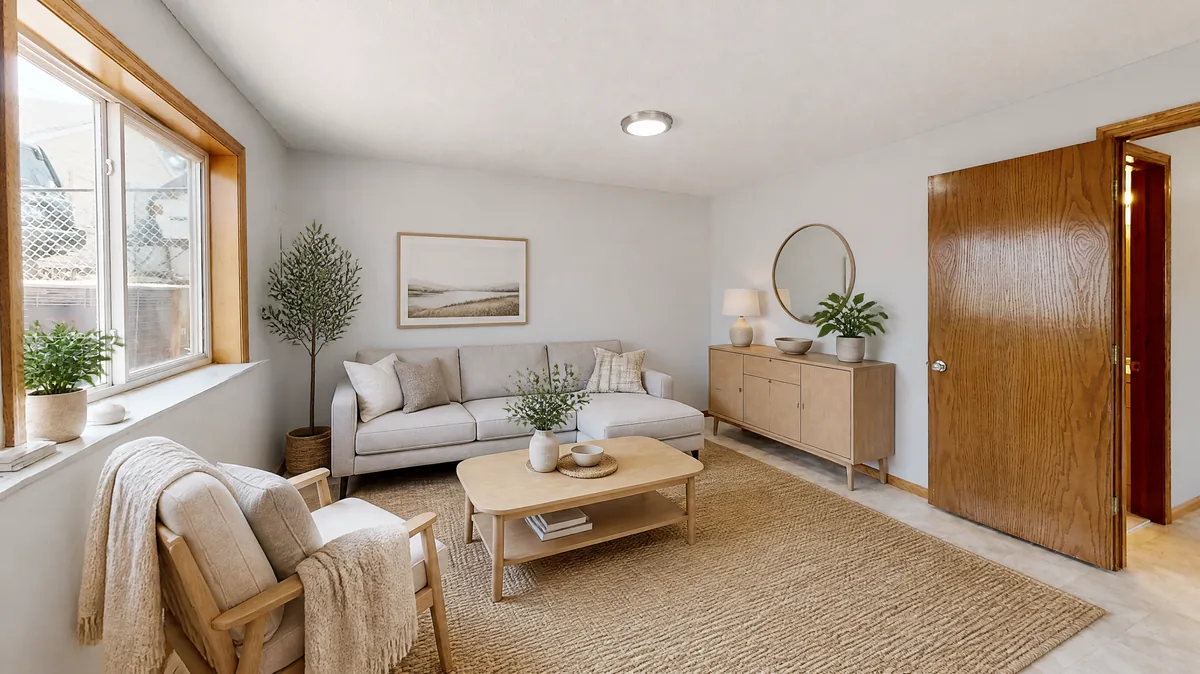
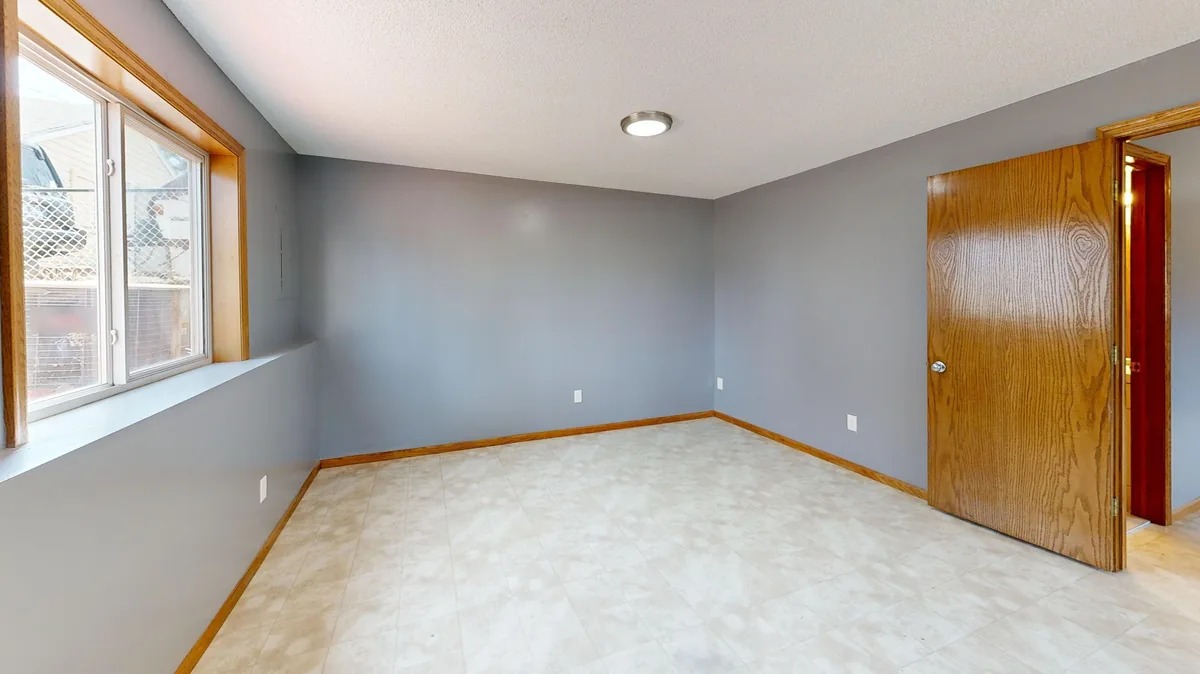
Rooms with a new point of view
See it in your space
Upload a room photoExplore your living room from one photo with one free watermarked design, no account registration and no card. Room Pack is $4.99 once for twenty images, with no subscription. Choose four styles to compare.
What is virtual staging useful for?
Virtual staging can help a viewer imagine how an empty room might be furnished. It is particularly useful when a bare space gives few visual clues about scale or purpose. Choose a room type that matches its intended use and mark the empty-room option before comparing styles.
The result remains an illustration. It does not prove that particular furniture fits, that a space satisfies occupancy requirements, or that the property contains the pictured items.
How should I photograph an empty property room?
Keep doors, windows and permanent fixtures clearly visible, including awkward corners. Use a level camera and ordinary daylight. Avoid hiding defects with an unusually low angle or cropping a damaged area from view.
The purpose of the comparison is to explore furnishings, not to make the property appear structurally different. If you lack permission to use a photo, obtain it before uploading. Remove people and private information left by an occupant or contractor.
How do I label a staged image for a listing?
Label the image clearly as virtually staged and check the applicable MLS or listing-platform rules before publishing. Requirements vary by service and location, so this page does not supply a universal legal checklist. Keep an unaltered source photo available and avoid implying that furniture, repairs or improvements already exist.
A small AI label may not meet a platform's specific requirements. When uncertain, ask the listing professional or platform to confirm the required disclosure.
What changes should I reject in the output?
Reject changes to windows, doors, ceiling height, room shape and permanent features. Also reject suggestions that conceal damage or invent a view outside a window. Use the before-and-after slider with attention to the edges of the photograph, where changes can be easy to miss.
A dramatic style may look attractive yet misrepresent the property. Accurate disclosure and faithful architecture matter more than choosing the most impressive image from a group.
Can I use the same image for several different rooms?
Use a separate source photograph for each real space so viewers are not misled about what is shown. If you explore alternative uses for one room, label those alternatives as concepts and avoid presenting them as separate existing spaces. The tool can furnish an empty room in several styles, but it cannot determine whether a intended use is permissible.
Floor plans, dimensions, building records and professional advice remain the appropriate evidence for those questions.
What should a review process include?
Have a person compare each candidate against the original photo, then review the caption and placement in the listing. Confirm that the image is not presented as proof of a completed renovation. Keep a record of the source, permission and final disclosure.
No result from this tool is a measured floor plan, construction drawing or property-condition report.
A few things to know
Can I try this living room workflow without signing up?
The intended live offer includes one watermarked image without an account registration or payment card. An email and verification step protect the allowance and support credit recovery.
How much does another living room image cost?
Room Pack is a one-time $4.99 purchase for twenty image credits, with no subscription or credit expiry. Each new standard or HD image uses one credit. Buying a pack does not turn an inspiration image into a measured professional plan.
How do I know whether the living room result is accurate?
Compare fixed edges and openings against your original photograph, then check dimensions in the real space. Preservation instructions reduce unwanted changes but cannot guarantee exact geometry. Discard a result that moves architecture, hides an important feature or suggests furniture that does not fit.
What happens to the photo of my living room?
The browser removes embedded location metadata before uploading. Images are held in private storage with owner access checks and expire after thirty days. Visible private details remain visible pixels, so remove documents and people before taking the source photo.
Can I get a refund if the living room design fails?
A confirmed failed or rejected generation returns its credit once. A fully unused purchased pack can be refunded within seven days; partly used packs are not eligible for that pack refund.
What happens to my photo?
The whole photo is retained and location metadata is removed. Personal redesigns, when available, use private storage with a 30-day expiry; existing examples do not transform your upload.